
Gemmy AI: Chat & Assistant
JetkiteProductivity
4.6603.00 Reviews
- Version
- 4.5.8
- Installs
- 5.00M
- Age Rating
- Everyone
Screenshots
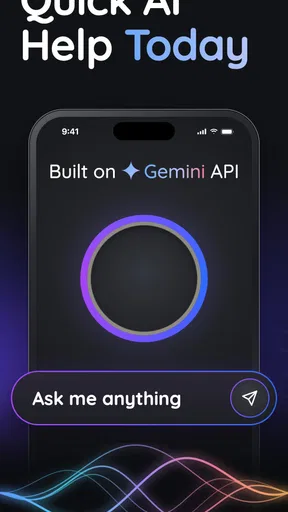
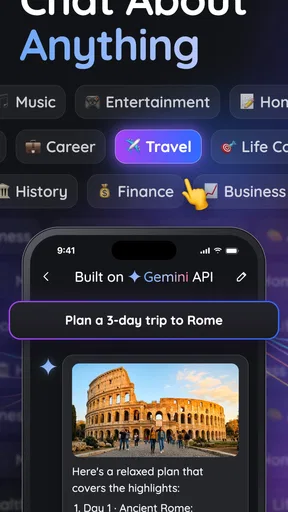

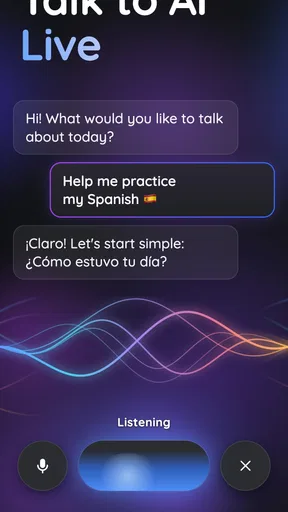

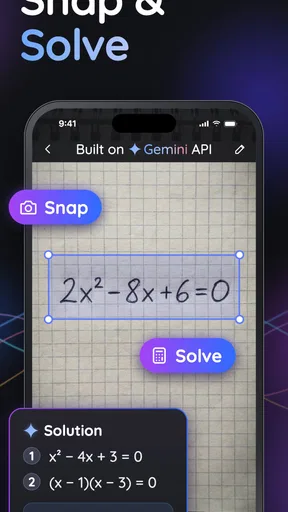
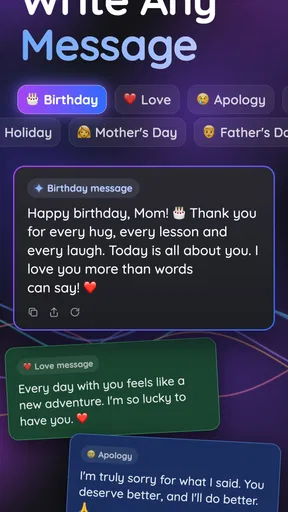
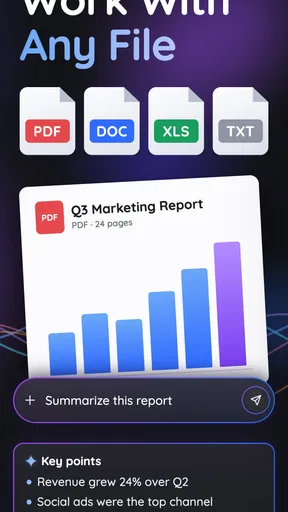
Our Review of Gemmy AI: Chat & Assistant
 Analysis by Appyee
I tend to notice the rough edges of an AI assistant before I settle into using it: a request gets misunderstood, a setting is hard to find, or a confident answer turns out to need checking. With Gemmy AI: Chat & Assistant, I’d treat the friendly conversation as a useful starting point, not a reason to hand over every task without thought. It’s a free productivity app from Jetkite, and its appeal is the mix of practical help and casual chat. The balance works best when I give it clear, everyday requests and stay involved in anything important.
When a request does not go smoothly
The first thing I’d try when a reply misses the point is to make the request narrower. Instead of asking for help with an entire day, I’d name the specific job: organize three errands, rewrite a short message, or suggest a simple order for tackling a task. That gives a conversational assistant a clearer target and makes it easier for me to judge whether the answer is useful.
I also wouldn’t assume that a warm tone means the app has understood every detail. If a response depends on a date, location, name, or other important fact, I’d repeat that detail plainly and check the result before acting. This is a sensible habit with any AI chat tool, especially when the consequences of a mistake would be more than a minor inconvenience.
A quick check before relying on it
When I start using an assistant on a new device, I first check the basics: the app opens properly, the connection is working, and I can tell where to enter a request and read the reply. If something seems stuck, I’d close and reopen the app, check the device’s connection, and try a short test message before assuming a larger feature is broken. These simple steps can separate a temporary hiccup from a request that needs to be rephrased.
It’s also worth taking a moment to explore the available settings rather than expecting the assistant to guess my preferences. A concise, specific request is usually easier to assess than a vague one, and a short follow-up can correct the direction without starting over. I’d avoid sharing sensitive personal or work information in any conversational AI unless I had reviewed the app’s current privacy details and felt comfortable with them.
Getting a useful result after a misfire
If the conversation wanders, I find it more productive to restate the goal and add the constraint that matters: keep it brief, use a friendly tone, or focus on the next action. For a draft message, I might ask for a version that is polite but direct, then edit the wording myself. For planning, I’d ask for a few manageable steps instead of treating a broad answer as a finished schedule.
That approach also makes the app easier to evaluate. A disappointing first reply does not always mean the tool is useless; it may mean the prompt left too much open. At the same time, repeated misunderstandings are a real reason to switch to a more predictable tool for that particular job. I wouldn’t spend longer coaxing an answer than it would take to do a small task myself.
Where an outside tool is the better fix
Some problems are not really chatbot problems. If I need a dependable calendar alert, a precise weather forecast, or a task that must sync correctly across several devices, I would check the dedicated app or service directly rather than rely on a conversational answer. A chat assistant can help me think through what to do, but it should not replace a source designed to keep that information current and actionable.
The same distinction matters for facts that could affect money, health, safety, or a work decision. I’d use an AI reply to shape questions or produce a first draft, then confirm the important details elsewhere. That small extra step is a better trade-off than mistaking fluent wording for verified information.
Getting Started with Gemmy AI
Setting up Gemmy AI: Chat & Assistant is a breeze. Once installed, you’re greeted with a simple, intuitive interface. I was up and running in minutes, and the app does a fantastic job of walking you through its features. No steep learning curve here! Just a straightforward, user-friendly experience.
Features That Impress
What I love about Gemmy AI is its versatility. Need a reminder to pick up groceries? Just ask. Want to know the weather before heading out? Gemmy’s got you covered. The app integrates seamlessly with other applications on your device, making it a true personal assistant.
The AI chat functionality is where Gemmy really shines. The responses are not only quick but surprisingly witty. I’ve had a few laugh-out-loud moments while chatting, which is something I didn’t expect from an AI. It’s like having a friend who knows everything but doesn’t mind if you ask the same question twice.
Integration and Customization
One of the standout features is how well Gemmy integrates with your daily apps. Whether it’s syncing with your calendar or pulling up your favorite music playlist, the integration is smooth and hassle-free. Plus, you can customize Gemmy’s personality to match your style. Want a formal assistant or a chatty buddy? The choice is yours.
The customization doesn’t stop there. You can tweak settings to ensure Gemmy assists you exactly how you like it. I personally enjoy the feature that lets you set different tones for various tasks – it keeps things fresh and engaging.
The Little Things That Matter
Sometimes, it’s the little things that make a big difference. For instance, the app’s ability to provide motivational quotes in the morning or a quick joke to lighten up a tough day. It’s these small touches that make Gemmy feel less like an app and more like a companion.
The app also respects your privacy, which is a huge plus in today’s digital age. All your data stays on your device, and you have full control over what’s shared. It’s comforting to know that my conversations with Gemmy stay between us.
Who gets the most from it
I see the strongest fit for someone who wants one conversational place to brainstorm, polish everyday writing, and break an unwieldy task into smaller actions. Gemmy AI has a 4.6 average from around 256,000 ratings, and it has passed five million installs, but those figures don’t tell me whether it will suit a particular routine. What matters more is whether I enjoy asking for help in natural language and am willing to review the answer.
A practical example: on a busy morning, I could ask for a short, polite note explaining that I’ll arrive late, then request a tighter version that sounds less formal. On the way out, I could use a separate request to sort a few errands into a sensible order. I’d still check opening times and travel details in the relevant apps; Gemmy is most useful here as a thinking and drafting partner, not as the final authority on live logistics.
Choosing between chat and dedicated tools
Compared with a conventional notes or to-do app, a chatbot is better at turning a rough thought into a draft or a sequence of steps, but a dedicated organizer is usually easier for recurring reminders and a clear list you can scan at a glance. Compared with a general search engine, a chat can make an answer feel more tailored, while search is often the better route when I need to inspect several sources or verify a changing fact. I’d use Gemmy for the conversation and switch tools when accuracy, persistence, or a structured record matters more.
That division of labor is a useful way to avoid frustration. I might ask the assistant to help me decide what belongs on a packing list, then save the final list somewhere designed to keep it accessible. I would not assume that a spoken or typed request has created a reliable reminder unless I can see the reminder in the place I expect it. A quick confirmation check is less effort than discovering later that I was relying on an action that did not stick.
Small habits that improve the workflow
One non-obvious advantage of asking for a first draft is that I can use follow-ups to compare options rather than accept the initial wording. For example, I can ask for the same message to be shorter, warmer, or more direct, then choose and edit the version that sounds like me. This works especially well for routine communication, where tone matters but the underlying facts are simple. I keep names, dates, and commitments under my own control.
For planning, I’d ask for a short sequence with a clear starting point, then turn only the steps I actually intend to do into tasks in my usual system. This keeps an attractive but overlong AI plan from becoming another list I never finish. If the answer is generic, adding one real constraint—available time, what I already have, or what must happen first—can make the next reply more practical without requiring a long prompt.
Price, age suitability, and expectations
The app is free to install, with in-app purchases ranging from $4.99 to $149.99 per item, so I’d check the purchase details in the app before committing to anything. I would first decide whether the free experience already fits my routine rather than paying simply because I expect a purchase to make every answer more accurate. The current version is 4.3.0, and the stated minimum operating-system requirement is version 9, useful details to check if an older device is involved.
It is rated for Everyone, which describes its store age classification, not a guarantee that every AI response is suitable for every situation or that a child should use it without guidance. For younger users, I’d set sensible boundaries around personal information and review how the app is being used. For adults, the same basic rule applies: keep private details out of a chat unless you have checked the current privacy terms and are comfortable with them.
Why You Should Download Gemmy AI
If you’re on the hunt for an AI assistant that feels personal and engaging, Gemmy AI: Chat & Assistant is a fantastic choice. It’s not just functional; it’s fun. The app makes everyday tasks feel less like chores and more like conversations.
From managing your day-to-day schedule to providing a chuckle when you need it most, Gemmy AI offers a refreshing take on what a virtual assistant can be. So, whether you’re a tech enthusiast or just someone looking for a little extra help, give Gemmy AI a try. You might just find yourself wondering how you ever managed without it.
In conclusion, Gemmy AI: Chat & Assistant is more than just an app; it’s a delightful addition to your digital life. With its smart features, seamless integration, and charming personality, it’s a must-have for anyone looking to make their life a little easier and a lot more fun.
My practical verdict
I’d recommend trying it if you want a friendly, flexible assistant for drafts, brainstorming, and low-stakes everyday planning, and if you don’t mind checking important details yourself. I’d skip it as my main choice if I need a dependable source of live information, a strict task manager, or a place to store sensitive material without first reviewing the privacy terms. The best reason to keep it around is the ease of moving from a rough idea to a usable first step; the best reason to keep other apps handy is that conversation alone is not a dependable record.
In short, I’d treat Gemmy AI as a helpful companion to the tools I already trust, rather than a replacement for all of them. Start with a simple request, see whether its style suits you, and keep the final say over anything that affects your plans. That gives the app room to be enjoyable and useful without asking it to do a job it is not suited for.
Verdict
Strengths of Gemmy AI: Chat & Assistant
- Intuitive and user-friendly interface.
- Offers multilingual support for global users.
- Efficient and fast response times.
- Customizable settings to suit user preferences.
- Integrates well with other apps.
Limitations of Gemmy AI: Chat & Assistant
- Requires a stable internet connection.
- Limited free features without subscription.
- Occasional AI misinterpretations.
- High battery consumption during use.
- Notifications can be intrusive.
Similar Picks in This Category
View All
Google Calendar
Google LLC4.6

Google Drive
Google LLC4.3

Google Assistant
Google LLC3.9

Microsoft OneDrive
Microsoft Corporation4.6

Samsung Calendar
Samsung Electronics Co., Ltd.4.1

Microsoft OneNote: Save Notes
Microsoft Corporation4.6
Frequently Asked Questions
What features does Gemmy AI: Chat & Assistant offer?
Gemmy AI: Chat & Assistant provides a versatile set of features, including AI-driven chat capabilities, task management, and personalized recommendations. Users can engage in natural conversations, set reminders, create to-do lists, and receive tailored advice based on their preferences and previous interactions. The app is designed to be intuitive and user-friendly, making it ideal for both personal and professional use.
Is Gemmy AI: Chat & Assistant compatible with all devices?
Gemmy AI: Chat & Assistant is available on both Android and iOS platforms, ensuring a wide compatibility range. It supports the latest versions of each operating system, though users should check for specific version requirements on the app store. The app is optimized for smartphones and tablets, providing a seamless experience across different devices.
Does Gemmy AI: Chat & Assistant require an internet connection to work?
Yes, Gemmy AI: Chat & Assistant requires an internet connection for its full functionality. The AI-driven features, including real-time chat interactions and personalized recommendations, rely on cloud-based processing. However, some offline capabilities like note-taking and task management may still be available, but with limited functionality.
How does Gemmy AI: Chat & Assistant ensure user privacy?
Gemmy AI: Chat & Assistant prioritizes user privacy by implementing robust security measures. The app uses encryption to protect data during transmission and storage. Users have control over their data, with options to manage privacy settings and delete conversations. The app complies with international privacy regulations, ensuring user information is handled responsibly.
Are there any subscription fees for using Gemmy AI: Chat & Assistant?
Gemmy AI: Chat & Assistant offers both free and premium subscription plans. The free version provides access to basic features, while the premium version unlocks advanced capabilities, such as enhanced AI interactions and priority support. Subscription fees vary, and users can choose monthly or annual plans to best suit their needs. A free trial may be available for new users.
